A wedding photographer has finished editing hundreds of beautiful wedding photographs, but arranging them into an attractive album is another important task. South Indian weddings often include several ceremonies, traditional outfits, colourful decorations, and memorable family moments. A well-planned album layout helps bring these photographs together in an organised way.
South Indian Wedding Album Design is a useful resource for graphic designers, wedding photographers, and photo studio owners who create Traditional Wedding Albums. A 12X36 layout offers a wide design area for arranging photographs, combining portraits, and presenting important wedding moments across album spreads.
At Freefile360.com, designers can explore Wedding Album Design resources and find inspiration for their creative projects. Before using any particular PSD resource, check its available specifications, download instructions, and licensing conditions.
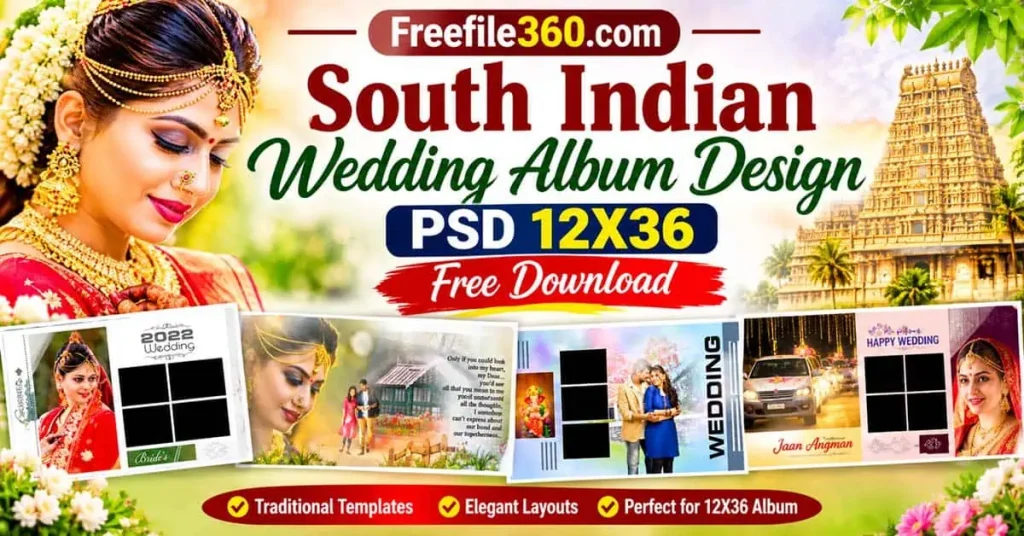
Table of Contents
South Indian Wedding Album Design and Its 12X36 Layout
South Indian Wedding Album Design refers to the arrangement of wedding photographs in layouts that reflect the ceremonies, traditions, and important moments of a South Indian Wedding. A 12X36 format is a wide album layout commonly used to plan a two-page spread, subject to the printer’s final document requirements.
This format provides space for combining large couple portraits with smaller supporting photographs. Designers can use the available area to create balanced compositions without making the album look overcrowded.
A South Indian Wedding Album may include photographs from Mehendi, Haldi, wedding rituals, traditional ceremonies, family portraits, and the reception. The layout should maintain a consistent visual style while giving special moments enough attention.
#01

#02

#03

#04

#05

Get More: 15 Unique Pre Wedding Album Templates Free Download.
#06

#07

#08

#09

#10

Explore South Indian Wedding Album Design Resources on Freefile360.com
Wedding album designers often need different layout ideas for different clients. Some customers prefer traditional compositions, while others want a cleaner arrangement with larger photographs and minimal decorative elements.
Freefile360.com focuses on graphic design resources, including Wedding Album Designs and Photoshop-related creative materials. Readers looking for South Indian Wedding Album Design PSD Free Download options can explore the relevant website resources and check the available download information.
Before selecting a design, consider the number of photographs you need to include, the wedding theme, and the client’s preferred presentation style. Also, check the actual PSD dimensions, resolution, layer structure, and software compatibility instead of assuming that every file includes the same features.
The supplied information does not include a verified download-page URL or individual file specifications. Therefore, confirm these details on the relevant resource page before downloading or using a design.
#11

#12

Get More: 12X36 Album DM Templates PSD Free Download – Freefile360.com.
#13

#14

#15

#16

#17

Get More: 20 New Wedding Album Design PSD Free Download | 12X36.
#18

How to Use a South Indian Wedding Album Design PSD
Once you have selected a suitable resource, follow these steps to customise the design for your wedding photography project.
1. Download the PSD File: Visit the relevant resource page on Freefile360.com and follow its available download instructions. Check the file description before downloading.
2. Extract the Archive: If the downloaded resource is provided as a ZIP archive, extract it using suitable software. Keep the original archive as a backup.
3. Open the PSD File: Open the extracted PSD in Adobe Photoshop or compatible software. Check the document dimensions, resolution, colour mode, and available layers.
4. Replace Wedding Photographs: Add your selected wedding photographs to the layout. If the PSD contains Smart Objects or editable image layers, use the available features to replace the sample images.
5. Customise the Design: Adjust photo placement, text, colours, decorative elements, and spacing according to the client’s requirements. Keep the main wedding photographs clearly visible.
6. Prepare the Final Output: Review the document size, image quality, colour profile, bleed, and binding area according to the printer’s requirements. Save an editable backup before exporting the final file.
Improve Your Photoshop Skills Through Wedding Album Layout Practice
Working with a South Indian Wedding Photo Album Design can also help designers understand how different photographs work together in a wide composition. Instead of placing every image at the same size, try creating a visual hierarchy with one main photograph and a few supporting pictures.
Beginners can study the arrangement of photographs, text placement, decorative elements, and spacing in available design resources. This can help them understand important Photoshop techniques and develop better photo composition skills.
For example, a traditional wedding portrait can become the main focus of a spread, while smaller photographs can show important rituals and family moments. Keep the visual flow consistent so that both pages feel connected when the album is opened.
Practical Tips for Better South Indian Wedding Album Designs
- Check the Actual Image Resolution: Use photographs with sufficient pixel detail for the final printed size. Increasing the DPI setting alone cannot restore missing image details.
- Maintain a Consistent Colour Style: Keep skin tones and wedding colours natural. Check the printer’s preferred colour profile before final export.
- Allow Space for Binding: Keep important faces, text, and other details away from the centre binding area. Confirm bleed and safe margins with the album printer.
- Save an Editable Backup: Keep the original PSD file whenever possible. This makes future corrections, photo replacements, and client-requested changes easier.
Frequently Asked Questions
1. Are South Indian Wedding Album Design PSD files free to download?
Download conditions depend on the individual resource. Visit the relevant Freefile360.com page and check whether the file is available for free or has any specific download requirements.
2. Which software is needed to edit a 12X36 wedding album PSD?
Adobe Photoshop is commonly used for PSD editing. Other compatible image-editing software may also work, depending on the file’s features and layer structure.
3. Can I use South Indian wedding album designs for paid client projects?
Commercial use depends on the individual file’s licence. Always review the applicable terms before using a design in paid photography or album-printing projects.
4. Why is the 12X36 format useful for wedding albums?
Its wide layout provides room for combining couple portraits, family photographs, and important wedding moments across a two-page composition.
5. How can I prepare a 12X36 PSD for album printing?
Check the actual document dimensions, image resolution, colour profile, bleed, and binding margins. Follow the printing requirements provided by your album printer.
Conclusion
A well-organised South Indian Wedding Album Design helps photographers and designers present wedding memories in an attractive and meaningful way. A 12X36 layout provides a useful canvas for combining traditional wedding photographs, couple portraits, and important family moments.
If you are searching for South Indian Wedding Album Design PSD resources, explore the relevant collections on Freefile360.com. Check the file specifications and licence conditions before using any resource in your next wedding album project.
Get More: